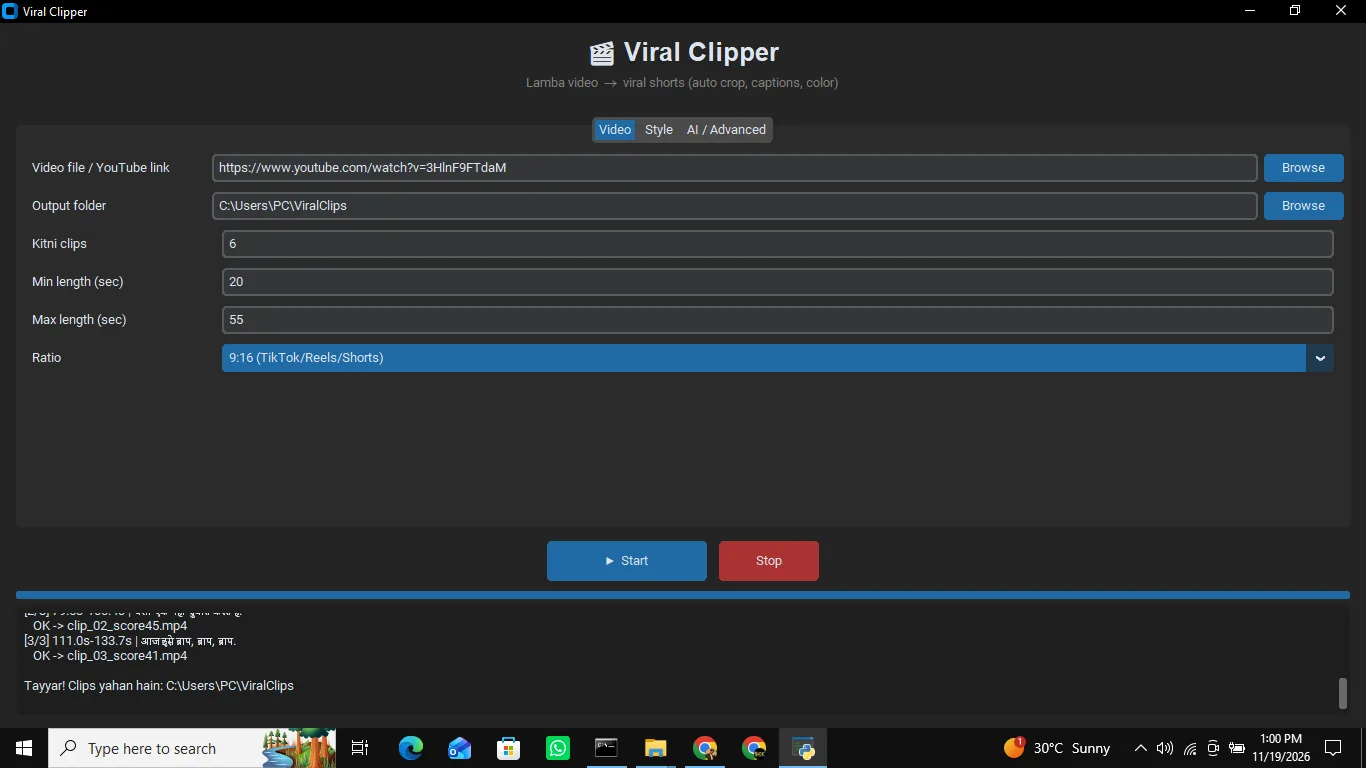
Viral Clipper is a Windows software that automatically turns long videos into short viral clips for TikTok, Instagram Reels and YouTube Shorts. It transcribes the speech, picks the best moments, crops to 9:16 and adds captions and color grading. It is made for YouTubers, podcasters and social media managers.
Software ke baare mein
Viral Clipper is a Windows desktop tool that automatically turns your long videos (podcasts, vlogs, gameplay, interviews or YouTube videos) into short, ready-to-post clips for TikTok, Instagram Reels and YouTube Shorts.
Key features
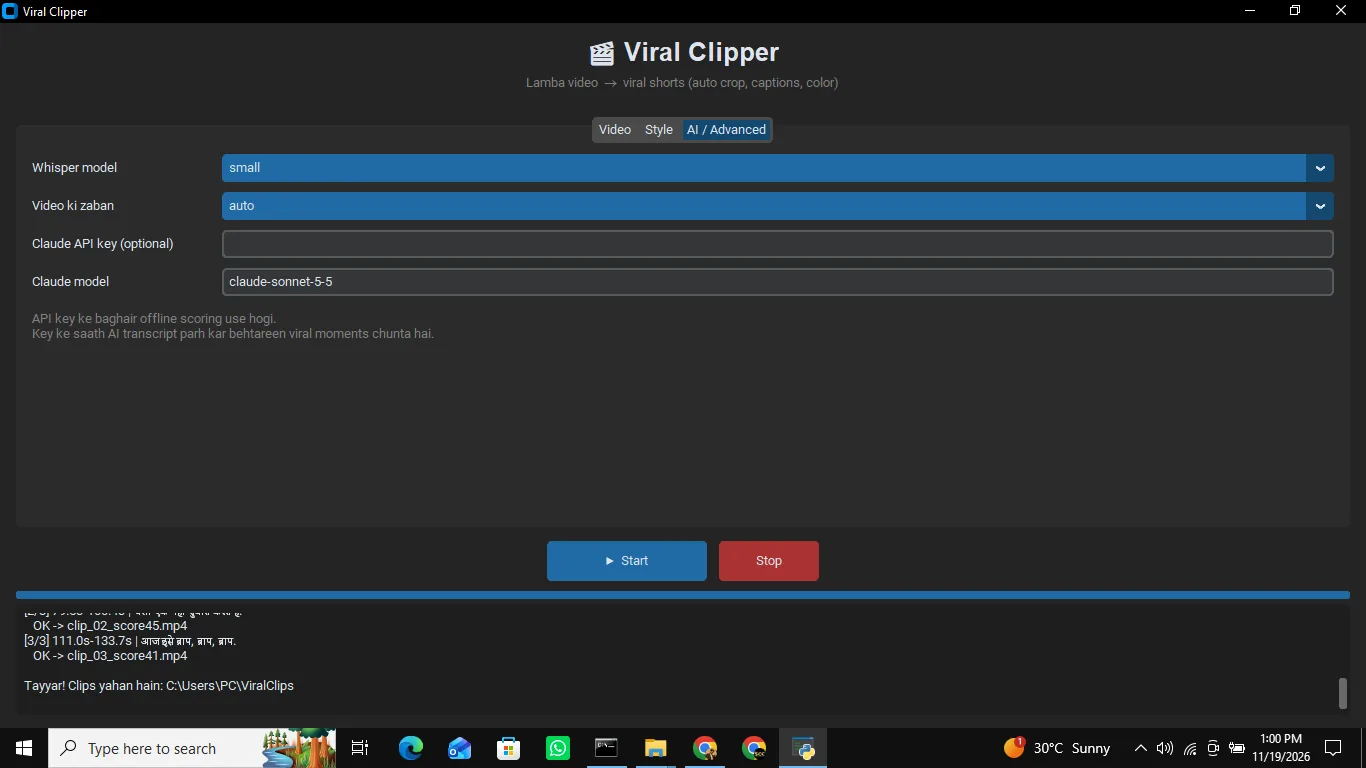
- Auto viral moment detection: transcribes the speech and picks the strongest segments (offline scoring, or Claude AI with your own API key).
- Auto cutting: clips of 20-55 seconds by default, with your own minimum and maximum length.
- Multiple ratios: 9:16 (Shorts/Reels/TikTok), 1:1, 4:5 and 16:9.
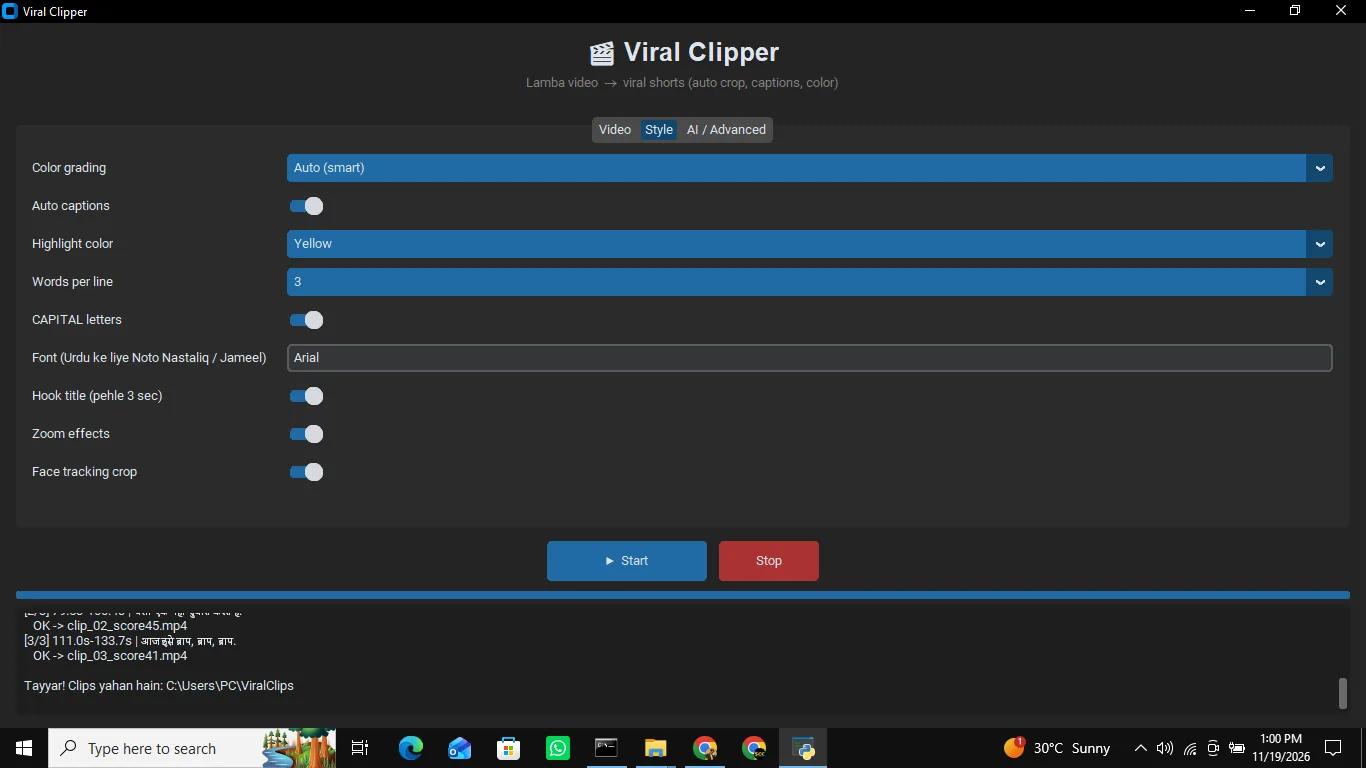
- Face-tracking crop: keeps the speaker centered in the frame.
- Auto captions: word-by-word highlighted captions in the color of your choice. Urdu, Hindi and English supported.
- Color grading: Auto, Vivid, Cinematic, Warm, Cool and B&W.
- Effects: slow zoom, punch zoom, fades, hook title and loudness normalization.
- Input: your own video file or a YouTube link.
- Simple window with buttons: no command line needed to use it.
Who is it for?
YouTubers, podcasters, gamers, social media managers and anyone who wants many short clips from one long video without learning video editing.
Good to know
- You need to install Python and FFmpeg once. The included START.bat installs the remaining libraries automatically.
- The Whisper speech model is downloaded on first use, so you need internet for the first setup. After that, transcription and clip creation run offline.
- No software can guarantee a video will go viral. Viral Clipper helps you find and format the best moments.
- Use it only on videos you own or have the rights to use.
System Requirements
- Windows 10/11 64-bit
- 8GB RAM (16GB recommended)
- 3GB free disk space (for the Whisper model)
- Python 3.12 or 3.13
- FFmpeg
- Internet connection (for first-time setup)
- download Python 3.13.17
- https://www.python.org/downloads/release/python-31317/
Aksar pooche jane wale sawalat
What does Viral Clipper do?
It automatically creates short clips from a long video, with cutting, 9:16 crop, captions and color grading.
Does it work on Windows 11?
Yes, on both Windows 10 and Windows 11.
Does it support Urdu and Hindi captions?
Yes. It transcribes Urdu, Hindi and English using Whisper. You can pick a larger model for better spelling.
Do I need to install Python?
Yes, Python is installed once. The included START.bat installs the remaining libraries automatically.
Does it work with YouTube links?
Yes. You can use a YouTube link or your own video file.
Does it work without internet?
Internet is needed for the first setup and model download. After that, transcription and clip creation run offline. The AI option is optional and needs a Claude API key.
Is it like OpusClip?
It works in a similar way, but it runs on your own PC and has no monthly subscription.
How can I pay?
Easypaisa, JazzCash or bank transfer.
Kharidne ka tareeqa
- Account banayein ya login karein.
- "Kharidein" dabayein aur payment method (Easypaisa / JazzCash / Bank) chunein.
- Dikhaye gaye account number par payment bhejein.
- Transaction ID, email aur payment ka screenshot upload karein.
- Admin verify karega — phir Download button khul jayega.